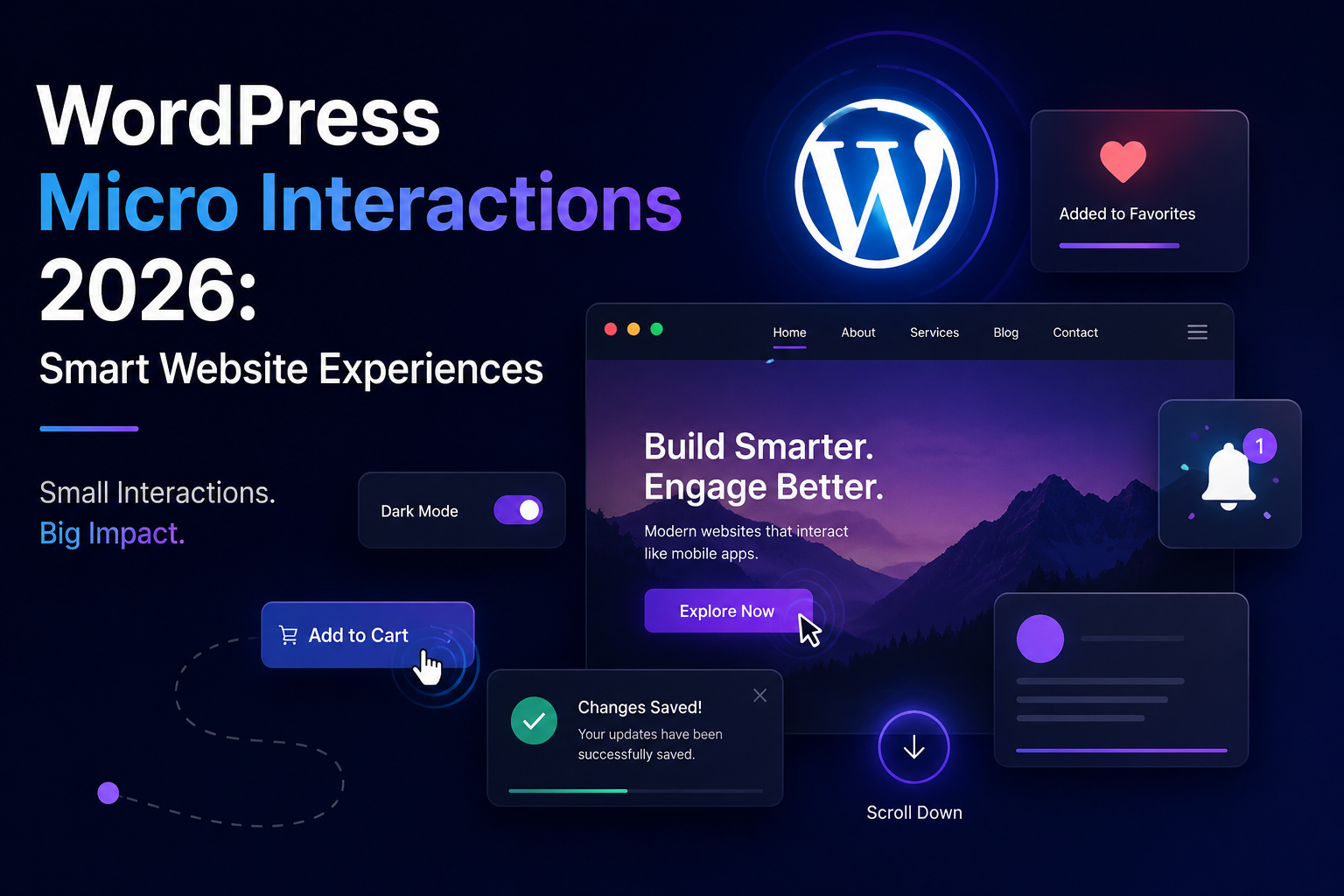
Websites are becoming more interactive, responsive, and experience-focused, and WordPress Micro Interactions 2026 are playing an important role in this transformation. Visitors no longer expect websites to behave like simple digital brochures. They want buttons to respond instantly, menus to move smoothly, forms to provide clear feedback, and pages to feel fast and intuitive. Small interactive details can make a major difference in how professional and engaging a WordPress website feels.
Micro interactions are not about filling a website with unnecessary animations. Instead, they are carefully designed responses that help users understand what is happening when they click, scroll, submit, search, or interact with different elements. When these details are implemented correctly, a traditional WordPress website can begin to feel more like a modern application.
WordPress Micro Interactions 2026: What Are Micro Interactions?
At their simplest, micro interactions are small visual or functional responses that occur after a user performs an action. A button may change appearance when clicked, a notification may smoothly appear, or a form may instantly show whether information has been entered correctly.
The growing importance of WordPress Micro Interactions 2026 comes from the changing expectations of internet users. People are accustomed to highly responsive mobile applications and modern software interfaces. When they visit a website, they increasingly expect a similar level of responsiveness.
A micro interaction can communicate confirmation, provide guidance, show progress, or simply make navigation feel smoother. The best interactions are usually subtle because they support the experience without becoming the main attraction.
WordPress Micro Interactions 2026: Small Details, Better Experiences
A website does not need dramatic animations to look modern. In many cases, a few carefully placed interactions can make the entire interface feel more polished.
For example, a subtle hover effect can show that a button is clickable. A loading indicator can reassure a visitor that their request is being processed. A success message can confirm that a form was submitted correctly.
These small moments reduce confusion and create a more comfortable user experience.
WordPress Micro Interactions 2026: Why Websites Are Becoming More Interactive
The growth of WordPress Micro Interactions 2026 is connected to the broader evolution of web design. Websites are increasingly designed around user experience rather than simply displaying information.
Modern visitors move quickly between websites, applications, and social platforms. They have become accustomed to immediate feedback. If a button appears unresponsive or a page gives no indication that an action has occurred, users may assume something is wrong.
Interactive feedback helps solve this problem.
Micro interactions can also guide visitors toward important actions. A carefully designed animation can draw attention to a call-to-action, while an interactive navigation system can make it easier to discover additional pages.
WordPress Micro Interactions 2026: Creating an App-Like Feeling
One of the most interesting possibilities is making websites feel more like applications.
Modern WordPress websites can include dynamic elements, responsive controls, smooth transitions, interactive filters, and real-time feedback. These features can create a more fluid experience than traditional page-based websites.
The goal is not to turn every website into a mobile application. Instead, it is to borrow the best elements of app design while maintaining the flexibility and accessibility of the web.
WordPress Micro Interactions 2026: Smarter Buttons and Links
Buttons are among the easiest places to introduce meaningful interaction.
A button can subtly change when a visitor moves over it, presses it, or completes an action. The effect could involve movement, a shadow, a size change, or another visual response.
These effects help communicate that the website has recognized the visitor’s action.
WordPress Micro Interactions 2026: Better Button Feedback
Good button feedback can be particularly valuable for important actions such as submitting a form, purchasing a product, downloading a document, or creating an account.
Imagine clicking a purchase button and seeing a small confirmation that the product has been added to the cart. The interaction removes uncertainty and immediately communicates the result.
The effect does not need to be large. A simple and fast response can be enough.
WordPress Micro Interactions 2026: Interactive Forms
Forms are another area where WordPress Micro Interactions 2026 can improve usability.
Traditional forms often provide feedback only after the user has submitted everything. Modern interactive forms can provide feedback while the visitor is entering information.
A field can indicate whether information is valid, a required field can become visually noticeable, and a successful submission can produce an immediate confirmation.
WordPress Micro Interactions 2026: Making Forms Easier
Better feedback can make forms feel less frustrating.
When users understand what they need to correct while completing a form, they are less likely to reach the end and discover multiple errors.
Interactive progress indicators can also be useful for long forms. They can show users how much information remains, making the process feel more manageable.
WordPress Micro Interactions 2026: Smooth Navigation
Navigation is one of the most important parts of any website.
A website can have excellent content, but visitors may struggle to find it if the navigation system is confusing. Micro interactions can make menus, dropdowns, search tools, and navigation buttons easier to understand.
A menu can smoothly expand rather than suddenly appearing. A navigation element can subtly highlight the current page. A search field can provide immediate feedback when visitors begin typing.
WordPress Micro Interactions 2026: Helping Visitors Explore
The purpose of interactive navigation should always be clarity.
Animations should help visitors understand where they are and what they can do next. When interactions are designed around this principle, they can make large WordPress websites much easier to explore.
This is particularly useful for online stores, magazines, blogs, educational websites, and business platforms with many sections.
WordPress Micro Interactions 2026: E-Commerce Gets More Engaging
Online stores can gain significant value from interactive experiences.
Shopping websites contain many actions, including viewing products, selecting options, adding items to carts, applying filters, comparing products, and completing checkout.
Micro interactions can provide feedback throughout these processes.
WordPress Micro Interactions 2026: Better Shopping Experiences
A product image can smoothly change when another option is selected. A cart can provide immediate confirmation when an item is added. A filter can update results without forcing the visitor to reload the entire page.
These small improvements can make online shopping feel more modern and efficient.
For e-commerce websites, even small usability improvements can have an important effect on the overall customer journey.
WordPress Micro Interactions 2026: Mobile-Friendly Interactions
Mobile users interact with websites differently from desktop users.
On a computer, hover effects can provide useful feedback. On a smartphone, there is no traditional mouse hover. Mobile interactions therefore need to focus more on tapping, scrolling, swiping, menus, and touch feedback.
This makes responsive interaction design an important part of modern WordPress development.
WordPress Micro Interactions 2026: Designing for Touchscreens
Buttons should be easy to tap, menus should open smoothly, and important actions should provide clear confirmation.
The experience should also remain fast. Mobile visitors may use slower connections or less powerful devices, so heavy animations can create unnecessary performance problems.
A successful mobile interaction is one that feels natural without consuming excessive resources.
WordPress Micro Interactions 2026: Scroll-Based Design
Scrolling provides another opportunity to create engaging experiences.
As visitors move through a page, elements can gradually appear, images can transition smoothly, and navigation can change depending on the visitor’s position.
These effects can help guide attention through long-form content.
However, excessive scroll animations can become distracting. The purpose should be to improve the flow of the page rather than constantly compete for the user’s attention.
WordPress Micro Interactions 2026: Guiding User Attention
A subtle animation can direct attention toward an important heading, product, button, or message.
This can be especially helpful on landing pages where businesses want visitors to understand a particular value proposition or take a specific action.
Good interaction design should guide rather than force.
WordPress Micro Interactions 2026: Notifications and Feedback
Notifications are another useful application.
When something changes on a website, visitors need to know what happened. A small notification can communicate that an item was saved, a message was sent, or a setting was changed.
Instead of suddenly displaying a large message, a subtle transition can make the notification feel integrated with the rest of the interface.
This is another example of how small details can improve usability.
WordPress Micro Interactions 2026: Accessibility Must Come First
Interactive design should never come at the expense of accessibility.
Some visitors may be sensitive to excessive movement or prefer reduced motion. Websites should therefore avoid unnecessary animation and provide experiences that remain understandable without relying entirely on movement.
Important information should always remain accessible through text, structure, and clear controls.
WordPress Micro Interactions 2026: Inclusive Interactive Design
Accessibility should be considered from the beginning rather than added after the website is complete.
Interactive elements should have clear purposes and should remain understandable for people using keyboards, screen readers, touch devices, or reduced-motion settings.
A modern website should be engaging without excluding users.
WordPress Micro Interactions 2026: Performance Is Still Critical
One of the biggest challenges with interactive design is website speed.
Animations and dynamic effects can require additional JavaScript, CSS, images, or other resources. If these elements are poorly implemented, they can make a website slower.
This is why performance should always be considered when developing WordPress Micro Interactions 2026.
WordPress Micro Interactions 2026: Balancing Beauty and Speed
The best interactive websites use effects selectively.
A lightweight animation that improves usability can be valuable. Dozens of unnecessary effects that delay page rendering can create the opposite result.
Website owners should therefore prioritize interactions that genuinely help visitors.
WordPress Micro Interactions 2026: Where They Can Make the Biggest Difference
| Website Element | Example Interaction | Main Benefit |
|---|---|---|
| Buttons | Hover and click feedback | Clearer actions |
| Forms | Instant validation | Fewer mistakes |
| Navigation | Smooth menu transitions | Easier browsing |
| Shopping Cart | Add-to-cart confirmation | Better feedback |
| Search | Dynamic suggestions | Faster discovery |
| Images | Smooth transitions | Better presentation |
| Notifications | Animated confirmation | Clear communication |
| Progress Bars | Visual progress | Better understanding |
WordPress Micro Interactions 2026: Potential User Experience Impact
The following graph is a conceptual illustration, not official market data. It shows areas where micro interactions can have a strong influence on the overall website experience.
E-Commerce ████████████████████Mobile Experience ███████████████████Navigation ██████████████████Forms █████████████████Button Feedback █████████████████Content Discovery ████████████████Notifications ███████████████
The strongest opportunities are generally found in areas where users perform frequent actions, such as shopping, navigation, form completion, and mobile interaction.
WordPress Micro Interactions 2026: How They Can Improve Engagement
Website engagement is influenced by many factors, including content quality, page speed, design, navigation, and usability.
Micro interactions can contribute by making the website feel responsive and easier to use.
When visitors receive immediate feedback, they may feel more confident interacting with the website. A smooth experience can also encourage visitors to explore additional content rather than leaving after a single interaction.
However, interaction should never replace useful content. A visually impressive website still needs valuable information and a clear purpose.
WordPress Micro Interactions 2026: The Future of WordPress Design
The future of WordPress design is likely to become increasingly interactive.
Websites are moving beyond simple page layouts toward experiences that respond dynamically to visitors. Modern WordPress development can combine interactive interfaces with strong performance, responsive design, accessibility, and flexible content management.
This means the website of the future may feel less like a collection of individual pages and more like a connected digital experience.
WordPress Micro Interactions 2026: From Websites to Digital Experiences
As technology develops, WordPress websites may increasingly adopt features that users already expect from applications.
Dynamic content, responsive controls, instant feedback, smooth transitions, and interactive navigation can create a more fluid experience.
The important point is that these features should remain purposeful. The goal is not to copy every feature from mobile apps but to create a website that feels intuitive and modern.
WordPress Micro Interactions 2026: What Website Owners Should Focus On
Website owners should begin by identifying the moments where visitors need additional feedback.
If users frequently click a button without knowing whether anything happened, that button could benefit from an interaction. If visitors struggle with a long form, interactive validation or progress feedback could help. If navigation feels complicated, smoother menus may improve the experience.
This approach ensures that interaction is connected to a real usability problem.
The best micro interactions are not necessarily the most visually impressive ones. They are the ones that make a website easier to understand.
WordPress Micro Interactions 2026: Final Thoughts
WordPress Micro Interactions 2026 are helping transform traditional websites into more responsive and engaging digital experiences. Small details such as button feedback, interactive forms, smooth navigation, scrolling effects, notifications, mobile responses, and e-commerce interactions can make a noticeable difference when they are carefully designed.
The future of WordPress is not simply about adding more animation. It is about creating powerful, meaningful, and purposeful interactions that improve the visitor experience.
A successful WordPress website should combine attractive design with fast performance, accessibility, useful content, and intuitive interaction.
As web design continues to evolve, WordPress Micro Interactions 2026 could become an increasingly important part of creating websites that feel modern and application-like. The websites that use these interactions intelligently will be better positioned to deliver the smooth, engaging experiences that modern visitors expect.